
Devs for Devs: Preparing Your Apps for iOS 27
From world-class developers, straight to you.
Hey, the Those Who Swift team is here! 👋
Not on Wednesday as usual, from now on we’ll see each other twice a week. Welcome to our new newsletter segment, “Devs for Devs”
We used to run a whole separate newsletter for this called “Indie App Devs” Now, every Sunday, we’ll feature a new segment from world-class, well-known devs here.
We’re starting with Natalia Panferova. I’m sure she doesn’t need to be introduced to you. She’s a software engineer, author, and former member of Apple’s core SwiftUI team, where she helped design and build SwiftUI APIs.
She has worked with startups and large companies across Europe and New Zealand, building web and mobile applications.
And without further ado, let’s jump into today’s topic and prepare our apps for iOS 27.
P.S. You can check out Natalia’s work on LinkedIn, X, and her website.

Since WWDC, I’ve been spending a lot of time exploring the changes coming in iOS 27 and working through what they mean for the apps I maintain, from rebuilding them with Xcode 27 and testing layouts at different sizes to reviewing SwiftUI changes that may affect existing code.
There are plenty of new APIs to explore, and it’s always tempting to start adding them straight away. But for an existing app, I think it’s more useful to begin by checking how well it works with the new SDK and system behavior. Much of this preparation isn’t about adopting new APIs at all. It’s about making sure existing layouts work when the app is resized, reviewing the visual changes that come from rebuilding with Xcode 27, and addressing new compiler errors and warnings in existing SwiftUI code.
The amount of work will be different for every app, but these are the main areas I’d recommend reviewing.
Supporting Resizable iPhone Apps
One of the most significant changes in iOS 27 is that iPhone apps can now appear at more flexible sizes. This makes it increasingly difficult to assume that an iPhone app will always run in a narrow portrait window or at one of a small set of familiar screen dimensions.
Until recently, our walking app Strolly only supported portrait orientation on iPhone. It makes heavy use of non-modal sheets placed over a map, allowing users to adjust their route preferences while continuing to interact with the content underneath. When we added landscape support in preparation for iOS 27, we found that the system sheet didn’t preserve its non-modal presentation after rotation. It became a full-screen sheet and covered most of the map.
We ended up building an adaptive panel that appears along the bottom in a narrow layout and moves to the trailing edge when enough width becomes available. The layout decision is based on the actual scene width rather than the device type or horizontal size class. This lets the same presentation adapt to iPhone rotation, iPad multitasking, and window resizing.
Not every app will need a custom presentation, but it’s worth checking for similar assumptions throughout the interface. Fixed frames, hard-coded screen dimensions, and layouts that switch only on device idiom can all become problematic when the available space changes.
Xcode 27 includes resize handles in SwiftUI previews and a resizable iOS simulator, which make it easier to test a range of widths without relying only on predefined devices. I’d pay particular attention to toolbars, sheets, overlays, forms, keyboards, and any screen that places several controls side by side.
It’s also important to check that state remains stable while the available size changes. Controls shouldn’t disappear or become difficult to reach, and resizing shouldn’t unexpectedly reset navigation, scroll position, selections, or data owned by the view hierarchy.
Reviewing the Liquid Glass Appearance
Apps built with Xcode 27 automatically receive the latest refinements to the Liquid Glass design. Many of these changes come through standard SwiftUI and UIKit components, so rebuilding the app and inspecting the result should come before adding custom glass effects.
Navigation bars, tab bars, sheets, menus, toolbars, and standard controls may all look slightly different. Custom interfaces can also produce unexpected results when they place translucent controls over photographs, maps, gradients, or similarly colored content.
I’d test these screens with accessibility settings such as Increased Contrast and Reduce Transparency. Users have more control over the appearance of Liquid Glass in iOS 27, so the interface should remain clear across those variations rather than depending on one specific level of transparency.
Toolbars need some extra attention now that apps can appear at more sizes. Xcode 27 adds SwiftUI APIs for controlling which toolbar items remain visible and which move into the overflow menu. We can assign a visibility priority to important groups, deliberately place less frequently used actions in a ToolbarOverflowMenu, and use the topBarPinnedTrailing placement for an action that should always remain available.
Before adopting these APIs, I’d resize the existing toolbar and see what the system does by default. Standard behavior may already be sufficient. Where it’s not, the new controls let us express which actions are most important without replacing the system toolbar with a custom implementation.
Building the Existing App with Xcode 27
I like to begin a new SDK migration by building the existing project before introducing any new features. This keeps compiler errors and warnings caused by the new SDK separate from issues introduced while adopting new APIs.
Building with Xcode 27 brings a few SwiftUI changes worth checking. One of the most notable is that @State is now a macro rather than a property wrapper. This fixes a long-standing performance issue when an @Observable class is used as the default value of a state property. The initial expression is now evaluated lazily, so the observable model is created only when SwiftUI sets up the state storage rather than every time the view value is recreated.
We should still avoid assigning an observable model to @State inside a view initializer. This creates a new model whenever the initializer runs, even though SwiftUI preserves only the first value in its state storage. If the model depends on changing input from the parent, it can also retain stale data because later assignments are ignored.
Custom environment values are another area to check. Xcode 27 now warns when an @Entry declaration creates a new class instance directly in its default expression. Every fallback environment lookup would otherwise return a different reference, which can make SwiftUI treat the value as changed and reevaluate dependent views unnecessarily.
Some existing view expressions can produce new ambiguity errors because SwiftUI’s result builders are now unified under ContentBuilder. For example, expressions passed directly to overloaded APIs such as overlay and background may need to use their trailing-closure variants so the compiler can select the intended overload.
Adopting New SwiftUI APIs
Once the app builds and works correctly, we can start looking for places where the new APIs solve an existing problem or let us remove custom code.
Swipe actions are no longer limited to rows inside a List. In iOS 27, applying swipeActionsContainer() to a ScrollView enables coordinated swipe actions for rows in a LazyVStack, LazyVGrid, or custom layout.
SwiftUI also has new native reordering APIs for stacks, grids, and other containers. We apply reorderable() to the dynamic content and reorderContainer(for:) to the enclosing container. SwiftUI manages the drag preview, insertion placeholder, and animation, while the app receives a ReorderDifference to apply to its model.
AsyncImage has gained new initializers that accept a URLRequest, giving us control over request headers, cache policy, and timeout without requiring a separate image-loading implementation. A new asyncImageURLSession() modifier can provide a custom session to asynchronous images in part of the view hierarchy.
These are all useful improvements, but an app doesn’t need to adopt them simply because they are new. I’d start with areas where the current implementation is limiting the interface, requires significant custom coordination, or has been difficult to maintain.
If the app continues supporting older versions of iOS, new APIs will also need an availability strategy. In some cases, the new behavior can be an enhancement on iOS 27 while the existing implementation remains as the fallback. In others, it may be better to wait until the deployment target can move forward rather than maintain two complicated code paths.
Testing Before the Public Release
An app prepared for iOS 27 still needs to work correctly on every version it supports. I’d test the main flows on both iOS 27 and the oldest supported system, paying particular attention to code guarded by availability checks.
Accessibility and localization can expose layout issues that don’t appear with default settings. I’d check the main screens with large Dynamic Type sizes, VoiceOver, Increased Contrast, Reduce Motion, and longer localized strings. These tests become especially useful alongside resizing because the most difficult layouts often combine a narrow width with larger content.
For performance-sensitive apps, Instruments 27 adds Run Comparisons for measuring changes between profiling sessions and expands the Swift executors instrument for investigating work running on the main actor and other executors. iOS 27 also introduces a new Swift-first MetricKit API. It continues to deliver app-health metrics and crash and hang diagnostics, while adding memory exception diagnostics and the ability to break metrics down by app-defined states.
Finally, I’d avoid leaving all of this work until the last beta. APIs and behavior can still change throughout the beta period, but testing early gives us more time to report issues through Feedback Assistant and adjust the app without rushing just before the public release.
SwiftUI Books with 20% off! 📚
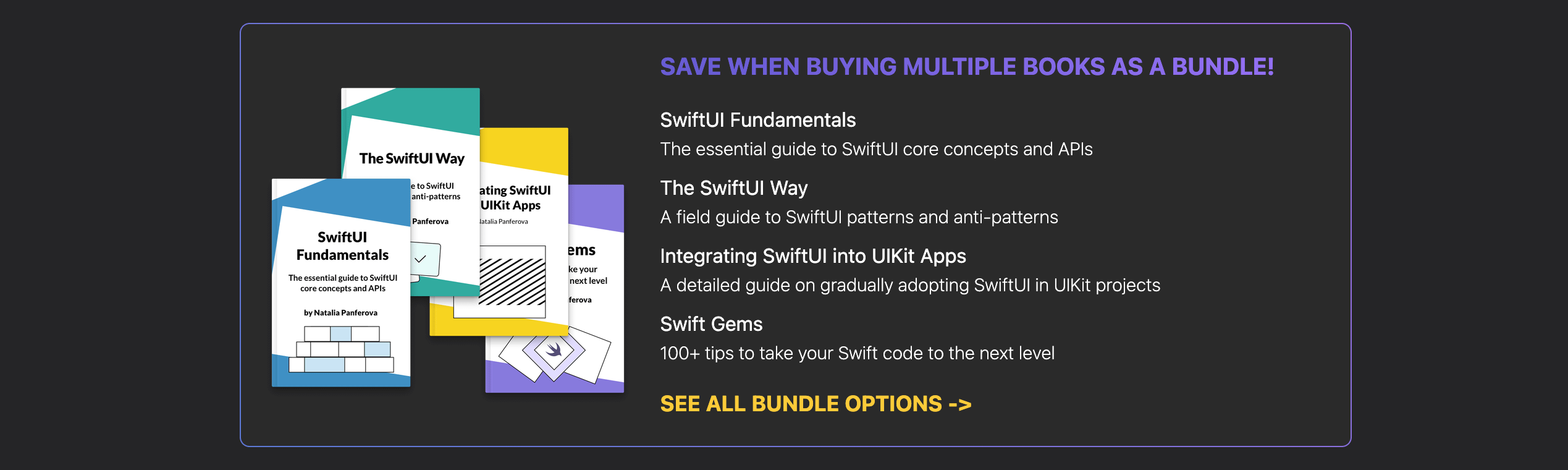
New SDK releases are exciting, but they also remind me how important it is to understand the behavior behind the APIs we use. Many of the issues Xcode 27 now helps us identify are related to the same fundamental topics we deal with every year: view identity, state ownership, data dependencies, layout, and performance.
I cover these foundations in SwiftUI Fundamentals, which explains SwiftUI’s core principles and underlying mechanisms in depth. My newer book, The SwiftUI Way, builds on that foundation with practical guidance for structuring production apps, managing data flow, minimizing unnecessary view updates, and avoiding subtle anti-patterns as projects grow.
Both books include free lifetime updates. I recently released a substantial update to “The SwiftUI Way” with expanded guidance on data flow, view performance, stable custom bindings, environment values, and the changes to @State in Xcode 27.
Readers of this newsletter can use the coupon code ThoseWhoSwift" to get 20% off any of my books or book bundles until the end of August. You can find all the available options on the Nil Coalescing books website.